 DinnerSorted
Save the recipe.
Sort the week.
DinnerSorted turns recipes you save from TikTok, Instagram, YouTube and cookbooks into a weekly meal plan, plus a grocery list that writes itself.
Free to download. iPhone only, for now.
Imports from TikTok, Instagram, YouTube, Pinterest, X, recipe websites and cookbook photos.

The problem
Your saved recipes never make it to the pan.
The videos pile up in your saved posts and camera roll. Then 5pm arrives and you're back to square one, staring at the fridge.
The recipe graveyard
Hundreds of saved posts and screenshots you'll never scroll back through.
"What's for dinner?"
The same question, every evening, with no good answer ready.
The forgotten ingredient
A trip to the shop, and you still come home missing something.
How it works
Three steps from "saved" to "sorted"
No copying ingredients by hand. No second app to manage.
-
Share it in
From TikTok, Instagram, YouTube, Pinterest, a recipe site, or a photo of a cookbook page.
-
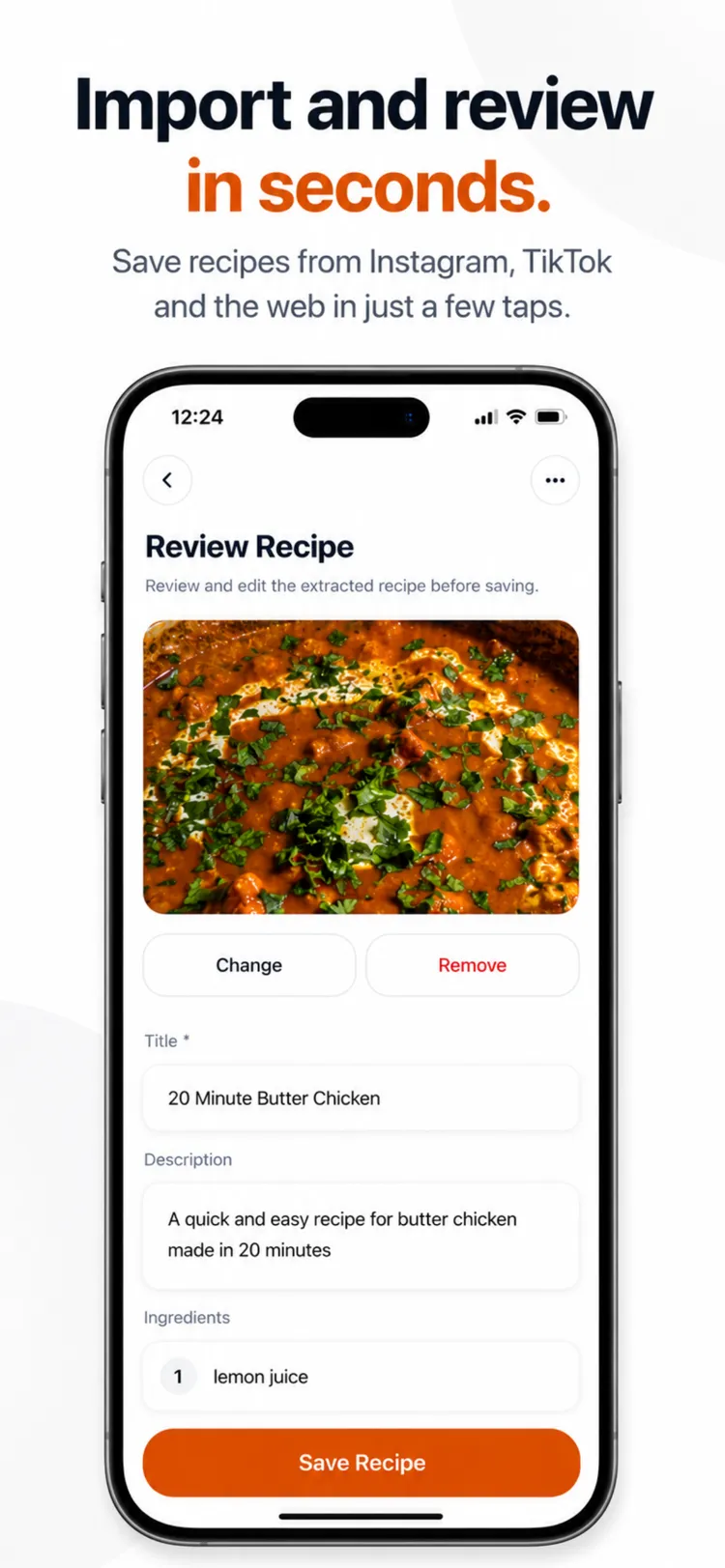
It reads itself
DinnerSorted pulls out the ingredients, steps, time and servings, and you check them before saving.
-
Drop it on your week
Add it to a night, and its ingredients join a grocery list that's already sorted.
What you get
A recipe keeper and a meal planner, in one app
Built for the way people actually cook on a weeknight.
-
Import from anywhere
TikTok, Instagram, YouTube, Pinterest, X and any recipe website.
-
Scan a cookbook
Photograph a cookbook page, clipping or recipe card and it's digitised.
-
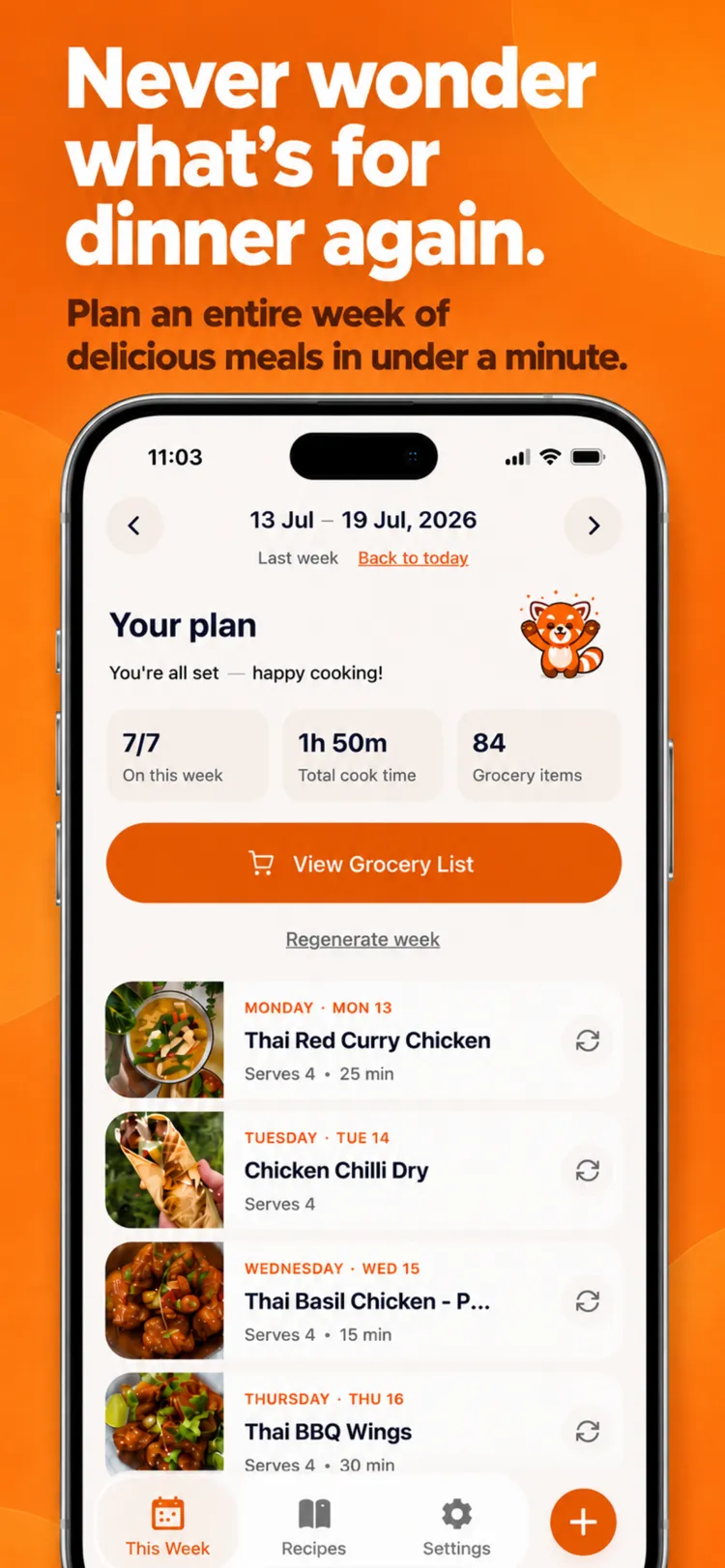
Weekly meal plan
Build a week from your recipes in one tap, then swap any night.
-
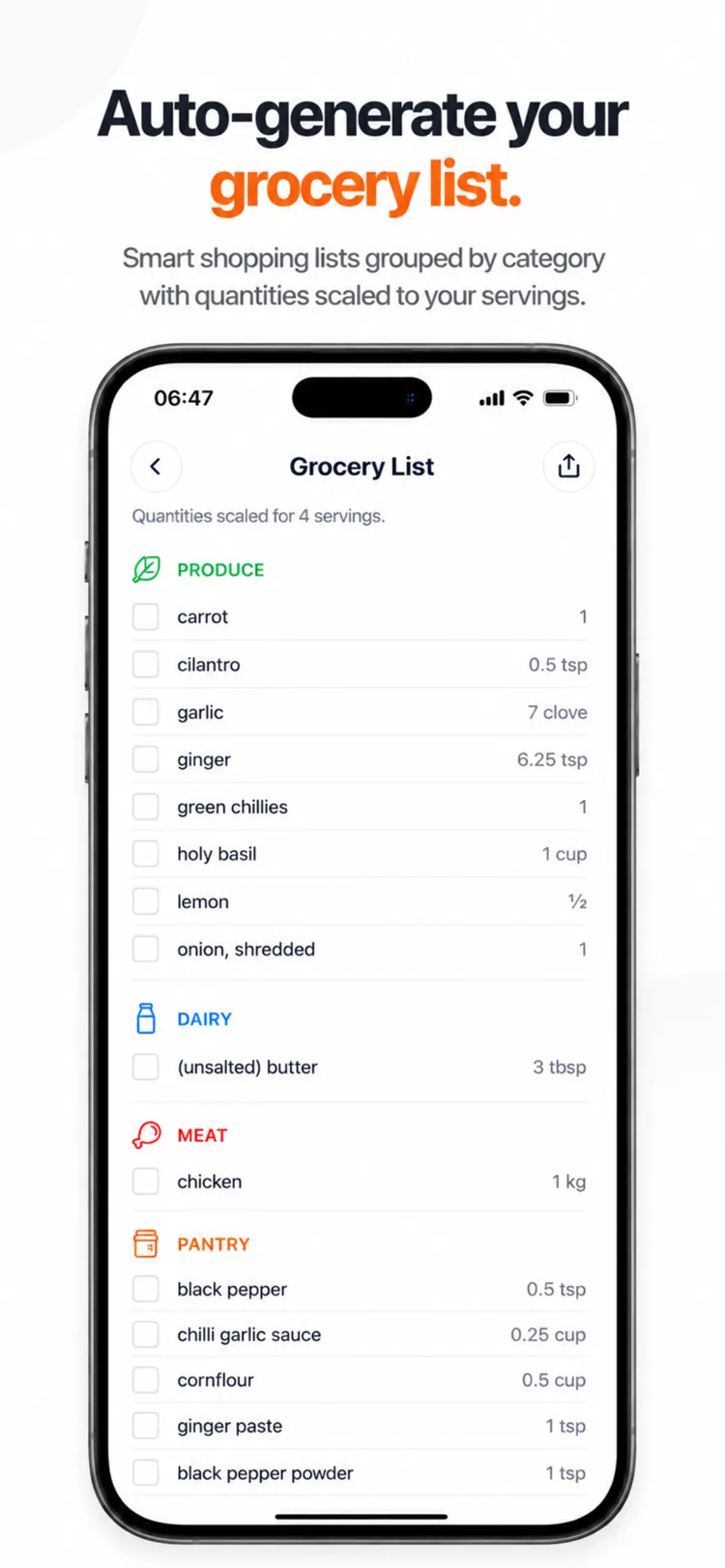
Grocery list, built for you
Every ingredient from your week, combined, grouped by section and scaled to your servings.
-
Hands-free Cook Mode
Say "next", "back" or "repeat" to move through steps without touching your phone.
-
One tidy collection
Every recipe searchable and sorted into your own categories.
-
Editable, always
Tweak any imported recipe, or add your own by hand.
-
The whole week, at a glance
See what's cooking on every night in one view.
Inside the app
See a week come together
Plan the week, import and check a recipe, then shop from one list.
Guides
Get more out of the recipes you save
Practical guides to saving recipes, planning meals and organising your collection.
-
Saving recipes
How to save recipes from TikTok and Instagram (so you actually cook them)
Why tapping save isn't enough, and three ways to keep social media recipes somewhere you'll actually cook from.
-
Meal planning
How to meal plan for the week: a beginner's guide
A five-step weekly routine that takes about 20 minutes, with a sample week and the mistakes that make most people give up.
-
Organising recipes
How to organise your recipes: a simple system that lasts
Get recipes out of screenshots, bookmarks, cookbooks and saved videos and into one place, with categories that help you decide what to cook.
Questions
Frequently asked
Can DinnerSorted save recipes from TikTok and Instagram?
Yes. Share a TikTok video, Instagram Reel or post to DinnerSorted and it reads the caption and, when the recipe is only spoken, the audio, then builds a proper recipe with ingredients, steps, cook time and servings for you to check before saving. It also imports from YouTube, Pinterest, X and recipe websites.
Can I turn saved recipes into a weekly meal plan?
Yes. Put recipes from your collection on the nights you're cooking, or let DinnerSorted build a week from your recipes in one tap, then swap or reshuffle any night.
Does DinnerSorted build a grocery list automatically?
Yes. Once your week is planned, DinnerSorted combines the ingredients from every recipe into one shopping list, grouped by section, with quantities adjusted for your serving sizes.
Can I scan a recipe from a cookbook?
Yes. Take a photo of a cookbook page, magazine clipping or recipe card and DinnerSorted turns it into an editable recipe alongside your imported ones.
Is there a hands-free mode for cooking?
Yes. Cook Mode keeps your screen awake and listens for "next", "back", "repeat" or "stop", so you can move through a recipe with messy hands without touching your phone.
Is DinnerSorted free?
DinnerSorted is free to download. On the free plan you can add up to 50 recipes by hand, plan your week, use the grocery list and Cook Mode, and import three recipes a month automatically from TikTok, Instagram, YouTube, websites and photos. DinnerSorted Pro makes imports unlimited and removes the recipe limit.
How much does DinnerSorted Pro cost?
DinnerSorted Pro is £6.99 a month or £39.99 a year (about £3.33 a month), with a 14-day free trial. Pricing is shown in your local currency on the App Store and may vary by region.
Can I cancel anytime?
Yes. DinnerSorted Pro is billed through your Apple ID, so you cancel it the same way as any App Store subscription, from your iPhone's Settings, at any time, with no need to contact us.
What devices does DinnerSorted work on?
DinnerSorted is available on iPhone from the App Store. It isn't available on Android or the web yet.
Get DinnerSorted on your iPhone
On a computer right now? Scan the code with your phone to open the App Store. Or leave your email and we'll keep you posted on new features and updates.
Scan to download
No spam. Unsubscribe anytime.